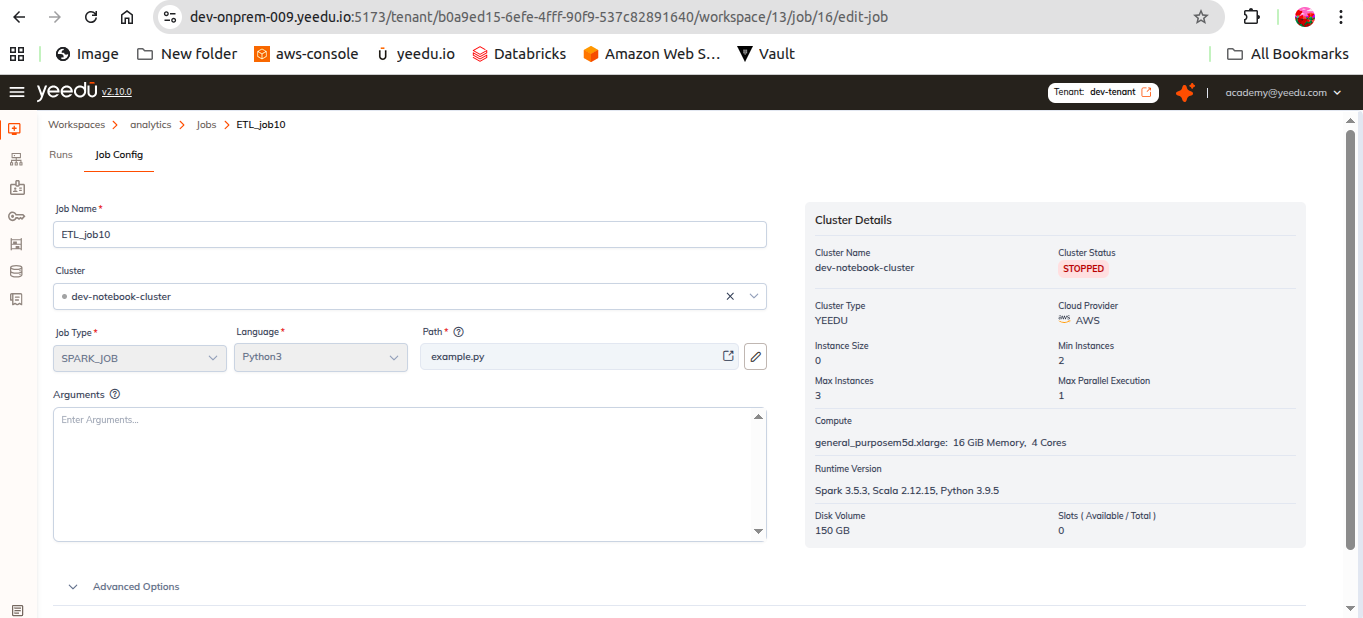
Modify Jobs
Modify Jobs
Once you open a job, the Job window is divided into two sections:
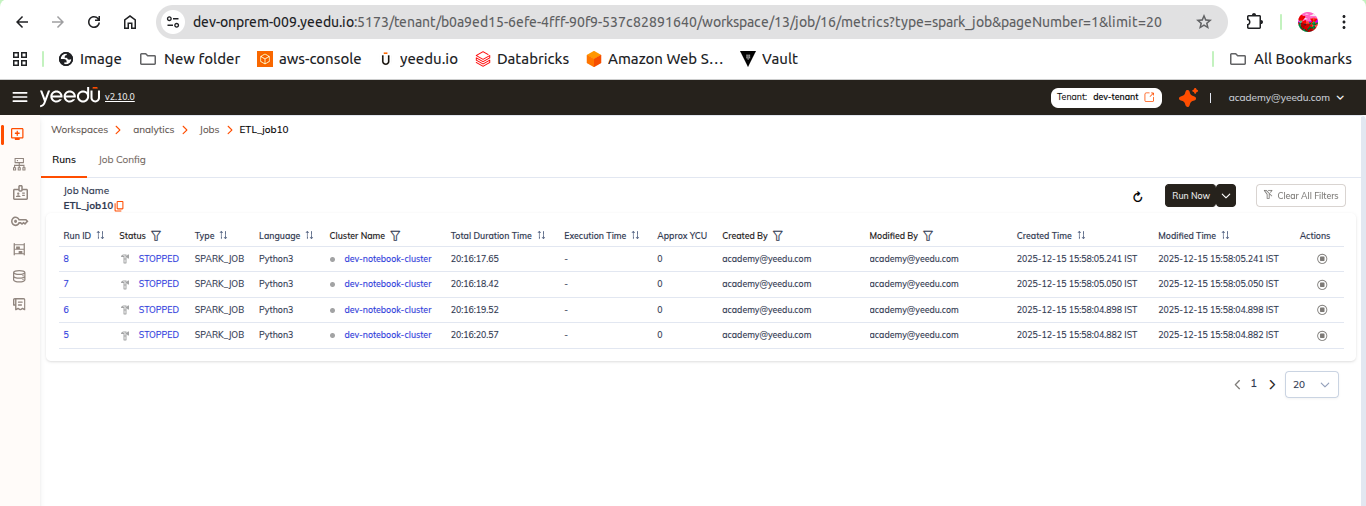
1. Runs
This section displays the execution history of the job.
Information shown:
- Run ID
- Status (Done, Error, Stopped)
- Type
- Cluster Name
- Duration
- Created By
- Modified By
- Start Time
- End Time
Actions available:
- Run Job – Trigger a new run directly from this view.
- Stop Job – Available only when the job is in the running/executing state.
2. Job Config
This section allows editing the configuration of the job.
Users can modify:
- Job Name
- Cluster
- Path
- Arguments
- Advanced Options
- Packages
- JARs
- Repositories
- Archives
- Files
- Configs
- Driver Configs
- Concurrent Run Settings
Note:
The Job Type cannot be changed once the job is created. All other settings remain editable.